Your outdated content is answering
questions for your team.

Copilot retrieves with confidence. It doesn't verify with judgment. MungePoint scores your SharePoint content quality across five dimensions and fixes every issue it finds — so your AI gives answers worth trusting.

Your data never leaves your network. No cloud relay. No third-party servers.

MungePoint — Copilot Readiness Score
MungePoint Copilot Readiness Score — AI readiness dashboard with score simulator and five quality dimensions
15–30%Typical content in tenants that degrades Copilot accuracy, based on MungePoint analysis
5 DimensionsDuplicates · Staleness · Naming · Metadata · Index Noise
< 30minTime to your first Copilot Readiness Score
$495/yrEarly Access Pro — 38% off
The Problem

SharePoint clutter is limiting your AI.

Duplicate documents, outdated policies, empty metadata, and cryptic filenames don't just waste storage — they poison Copilot's answers. When an employee asks Copilot for the travel policy, it shouldn't surface seven stale drafts.

"We turned on Copilot and within a week someone cited an outdated policy in a client proposal. We had no idea Copilot was even indexing that site." A scenario M365 admins recognize all too well
📁

Duplicates confuse retrieval

When the same document exists in seven sites, Copilot can't determine which version is authoritative. It may cite the wrong one — or blend conflicting versions into a single hallucinated answer.

💸

Stale content poisons answers

Outdated policies, superseded procedures, and abandoned drafts are still in the index. Copilot treats them as current. One wrong answer to an HR or compliance question and trust is gone.

🔍

No readiness visibility

Microsoft sells Copilot licenses but ships no tooling to assess whether your data is ready for AI. There's no readiness score, no gap analysis, and no way to measure improvement over time.

🗑️

Oversharing via stale permissions

Copilot respects SharePoint permissions — but those permissions were set years ago. Content that was "harmless" when it was just a file is dangerous when Copilot surfaces it in answers across the organization.

How It Works

Connect. Score. Fix.

Authenticated via your existing Entra ID credentials. First readiness score in under 30 minutes. Fix plan generated automatically.

01

Connect

Sign in with your existing Entra ID credentials. No new service accounts, no agents installed in your tenant, no app registrations to approve. MungePoint runs on your desktop and calls Microsoft's APIs directly.

// OAuth2 · MFA compatible · Conditional Access · No tenant agent
02

Score

Full-tenant analysis across five dimensions: duplicates, staleness, naming quality, metadata completeness, and index noise (empty folders, orphans, migration artifacts). Your Copilot Readiness Score updates in real time as the scan progresses.

// 5-dimension scoring · Score Simulator · Trend tracking
03

Fix

Review every recommended fix before it executes. Approve individually or in bulk. Every action is logged.

// Review-before-execute · Audit trail · Evidence export
MungePoint — Readiness Dashboard
MungePoint cleanup view — duplicate file groups with keep/delete recommendations and cross-folder duplication chart
Capabilities

The full data quality surface — not just duplicates.

🔁

Duplicate Detection

Content-hash matching finds byte-for-byte duplicates across your entire tenant. Every duplicate is a chance for Copilot to cite the wrong version — MungePoint flags them all and recommends which to keep.

📊

Copilot Readiness Score

Composite 0-100 score across five dimensions: duplicates, staleness, naming, metadata, and index noise. Use the Score Simulator to toggle fixes and see your projected score before you execute anything.

🗂️

Metadata Bulk Fill

Smart suggestions inferred from your existing folder context, library-wide patterns, and file authorship. Fill in content types, departments, and custom fields across hundreds of files — so Copilot retrieval has the context it needs.

Naming Quality Fixes

Surface files with cryptic, auto-generated, or misleading names. Pattern-based bulk rename rules with conflict detection improve discoverability for both humans and Copilot retrieval.

♻️

Evidence Exports

Stakeholder-ready reports covering your readiness score, dimension breakdown, and remediation log. Built for Copilot readiness sign-off with IT leadership and compliance.

📤

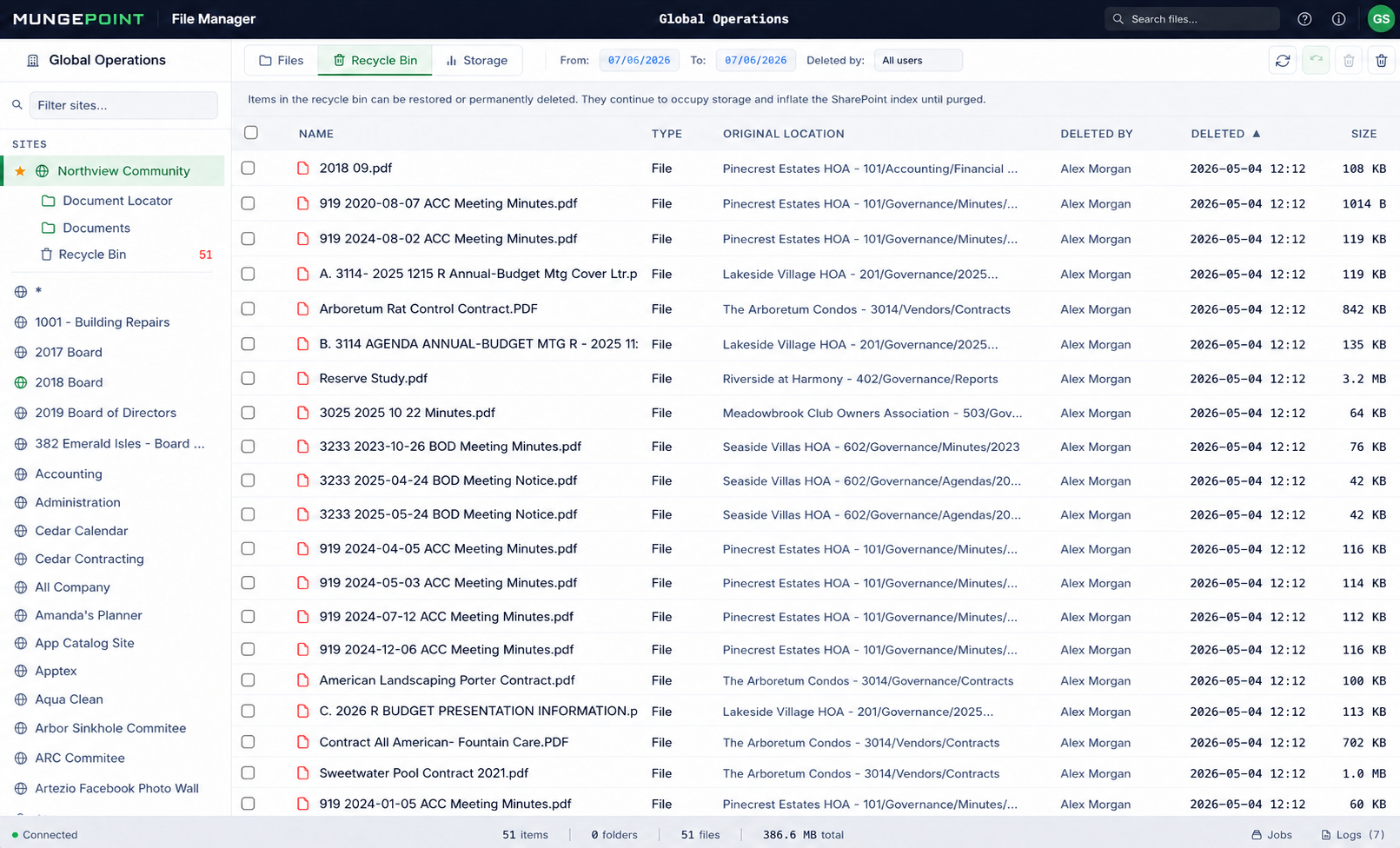
Storage, Files & Recycle Bin

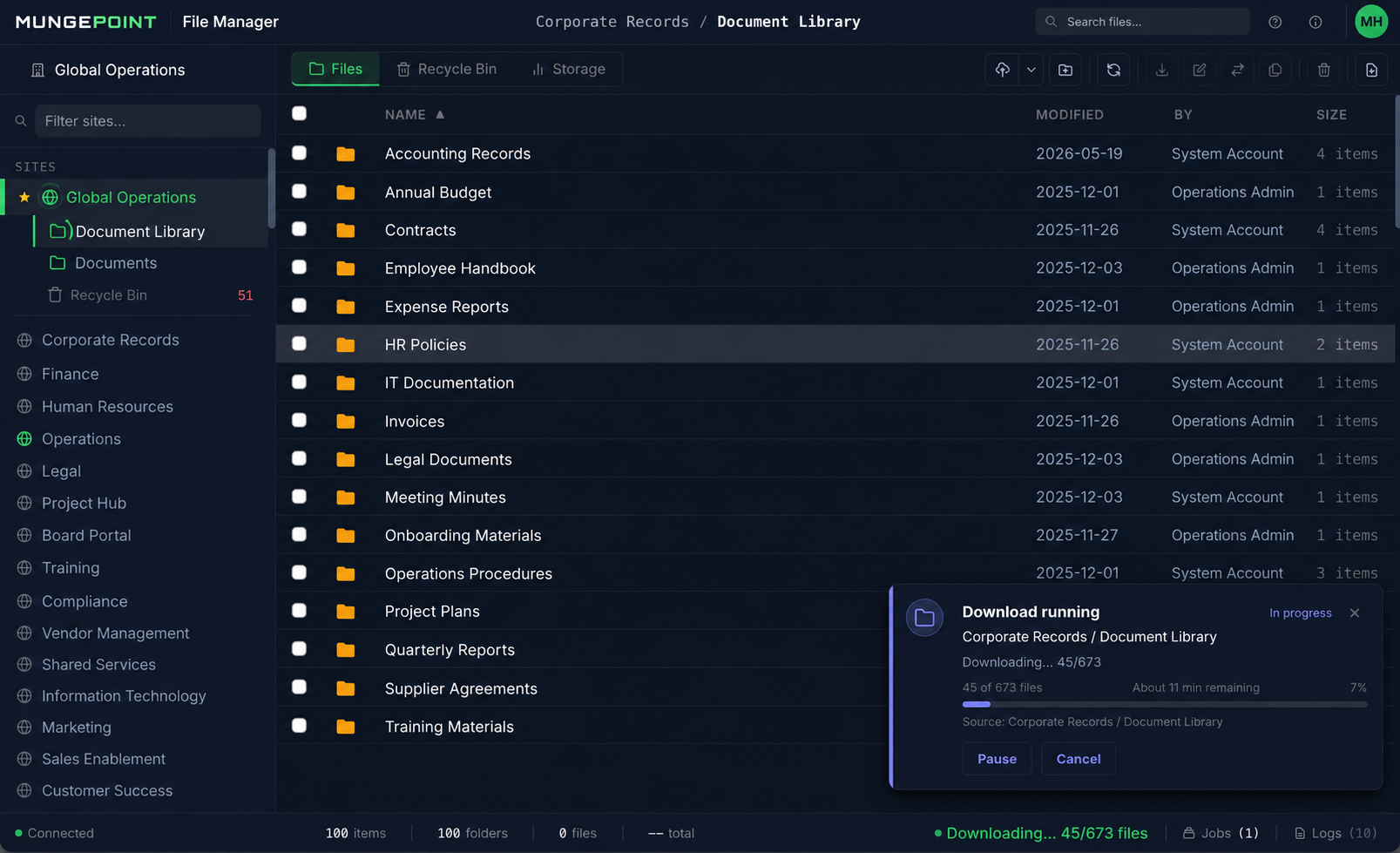
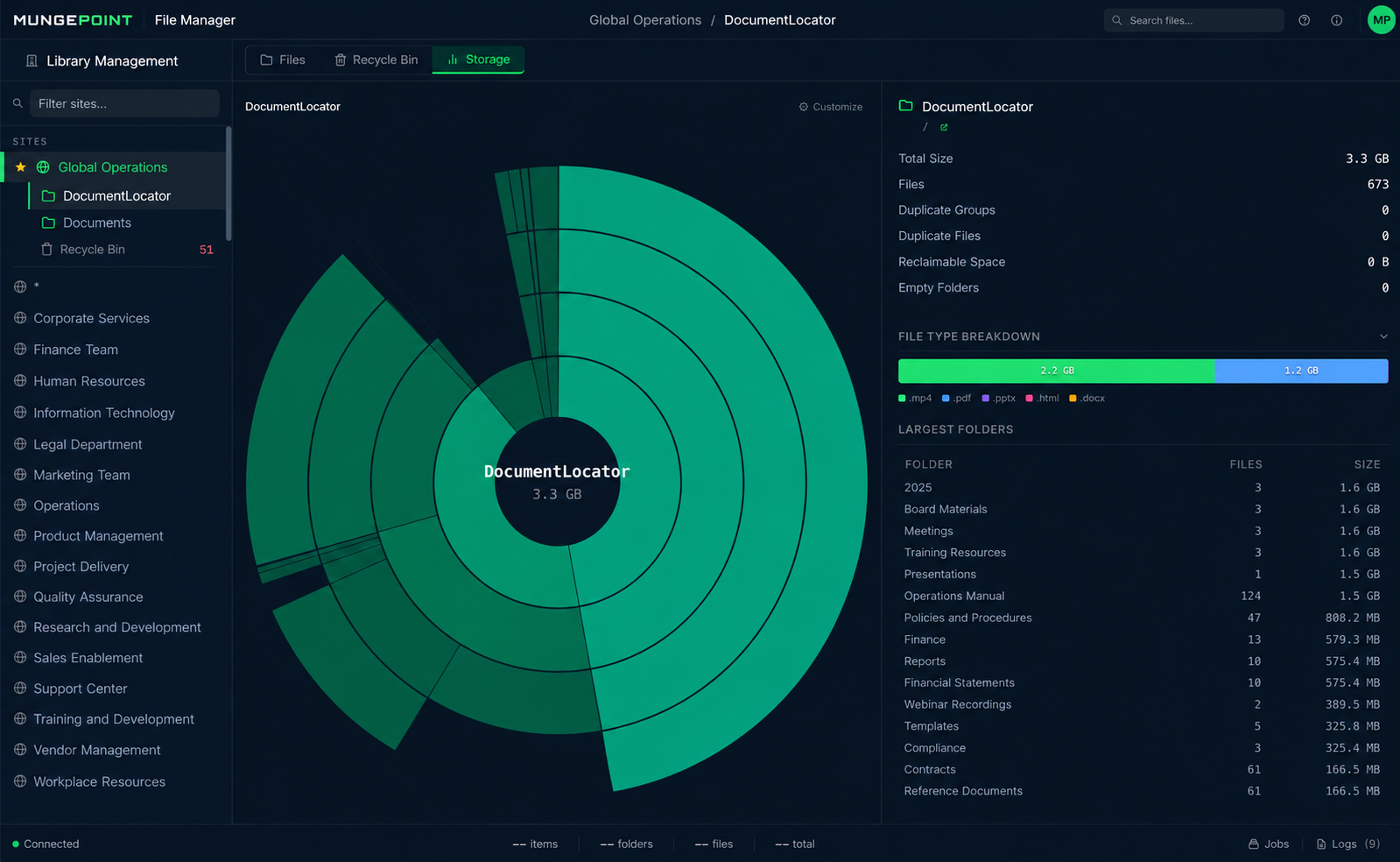
Full storage analysis heatmap, cross-site file manager, and multi-item recycle bin restore. The SharePoint admin essentials are included alongside Copilot readiness tooling.

Site Analysis
MungePoint site analysis — storage heatmap and file type breakdown
Site Explorer
MungePoint site explorer — browse and manage files across SharePoint sites
Pricing

Start free. Upgrade when it pays off.

The free tier gives you your Copilot Readiness Score. Pro lets you fix what it finds.

Free
$0

Scan, score, and report. Free forever.

  • Full tenant scan + Copilot Readiness Score
  • AI Readiness report + full inventory export
  • File manager and search
  • Recycle bin restoration
  • Bulk fix execution
  • Automated bulk cleanup
  • Headless / CLI mode
  • Email support
Download Free
Early Access — 38% off
Pro
$795 $495/yr

Unlock bulk fix execution. No PO needed.

  • Everything in Free
  • Bulk fix execution
  • Automated bulk cleanup
  • Free updates for 1 year
  • Email support
  • Headless / CLI mode
  • Scheduled recurring scans
Get Pro — $495/yr
Ultimate
$1,795/yr

Automation, multi-user, and cross-site ops.

  • Everything in Pro
  • Headless / CLI mode
  • Scheduled readiness scans
  • Multi-user access
  • Cross-site cleanup
  • Plugin support
Contact Us

No enterprise contracts. No PowerShell scripts. No sending your data to the cloud.

Architecture & Security

Your data stays on your machine. Full stop.

MungePoint is a desktop application. It calls Microsoft's Graph API and SharePoint REST endpoints directly from your machine — no cloud relay, no proxy, no third-party server in the data path. We never see your files, your metadata, or your tenant structure.

  • 🔒

    No Cloud Relay

    Every API call goes directly from your machine to Microsoft's endpoints. There is no Anadak proxy, no relay server, and no infrastructure between your desktop and Microsoft. We could not intercept your data even if compelled to.

  • 🪪

    Your Credentials, Your Permissions

    Standard Entra ID OAuth2 with delegated (not application) permissions. Fully compatible with MFA, Conditional Access, and session policies. Sign in with your Entra ID account. First use in your tenant may require a one-time admin consent.

  • 💾

    Local Storage Only

    All scan data, readiness scores, and remediation history are stored in a local SQLite database on your machine. Nothing is persisted externally. Uninstall the app and the data is gone.

  • 🛡️

    Your Permissions Enforced

    MungePoint can only see and act on content your account already has access to. There is no privilege escalation, no admin bypass, and no background agent running in your tenant with elevated rights.

⚡ The Copilot Readiness Imperative

Every organization deploying Copilot has this problem. Most don't know it yet.

Microsoft Copilot indexes every document in your SharePoint tenant. Duplicates cause conflicting answers. Stale policies get cited as current. Poorly named files reduce retrieval precision. And broad legacy permissions mean Copilot can surface sensitive content to anyone with a prompt. MungePoint gives you a measurable readiness score, a prioritized fix plan, and the evidence exports your CISO needs to sign off on Copilot rollout.

Get Your Score — Free ↓
FAQ

Common questions

What permissions does MungePoint need?

MungePoint uses delegated permissions through your Entra ID account — not application permissions. This means it can only access content your account already has access to. For read-only scanning and Copilot Readiness scoring, standard user access is sufficient — no admin consent prompt, no app registration, and no service principal in your tenant. For fix operations (deleting duplicates, renaming files, filling metadata), you need the same write permissions you would need to perform those actions manually in SharePoint. MungePoint never escalates privileges beyond your existing access.

Where does my data go?

Nowhere. MungePoint is a desktop application that runs entirely on your machine. Every API call goes directly from your desktop to Microsoft's Graph API and SharePoint REST endpoints. Scan results, readiness scores, and remediation logs are stored in a local SQLite database on your machine. No file content, metadata, or tenant structure is ever transmitted externally. Your tenant data stays on your machine. The only external calls beyond Microsoft are license validation and update checks, neither of which includes tenant data.

How long until I have a Copilot Readiness Score?

Depends on your tenant size, but most organizations see their first Copilot Readiness Score within 30 minutes of installing. A 500-site tenant with 2M files typically completes a full five-dimension scan in 20–45 minutes. Subsequent scans are incremental — MungePoint caches the file index locally and only queries for changes, so rescans after remediation complete in a fraction of the time. Your score updates in real time as the scan progresses, so you can start reviewing findings before the full scan finishes.

Does it work with MFA and Conditional Access?

Yes. MungePoint uses standard OAuth2 / MSAL authentication through Microsoft's identity platform, which fully supports Multi-Factor Authentication, Conditional Access policies, and session lifetime controls. You authenticate the same way you do for any Microsoft 365 app. There is no separate identity system, no stored passwords, and no background service that needs its own credentials. If your organization requires device compliance or location-based access, those policies apply to MungePoint exactly as they do to Outlook or Teams.

Can I try before I buy?

The free tier is fully functional for scanning and scoring — no trial period, no expiration, no account required. Download it, connect to your tenant, and get your Copilot Readiness Score. You can see every finding, use the Score Simulator to model improvements, and review every recommended fix. You only need to upgrade to Pro when you want to execute fixes in bulk or generate stakeholder-ready evidence exports for Copilot readiness sign-off.

What happens when I hit the free tier limits?

Scanning, scoring, the Score Simulator, and the visual review workflow remain fully functional on the free tier forever. The limits are on action and export — you can see everything that's hurting your Copilot readiness, but executing bulk fixes and generating full evidence exports require Pro. Upgrade at any time; your existing scan data, scores, and remediation history carry over seamlessly.

Run your Copilot Readiness Score now. Fix what it finds before Copilot goes live.

Score your tenant in 30 minutes. Free tier, no expiration, no credit card.

Windows · macOS · Linux · No account required to start